MOBILE APP DESIGN

NY Digital ID

Prototype

UI/UX

Interaction Design

Mobile

Designed a Mobile ID app that enables users to securely store and access their identification on their phones.

Timeline

10 weeks

Software

Figma

Created

Spring 2025

Square

Overview

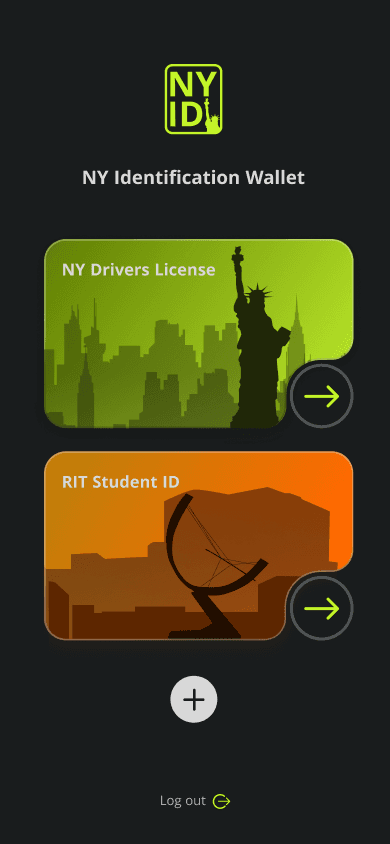
The NY Digital License app securely stores personal identification in one place, eliminating the need for physical cards. It offers a convenient, modern way to access your driver’s license, work, or school ID directly from your phone.

View Prototype

Approach

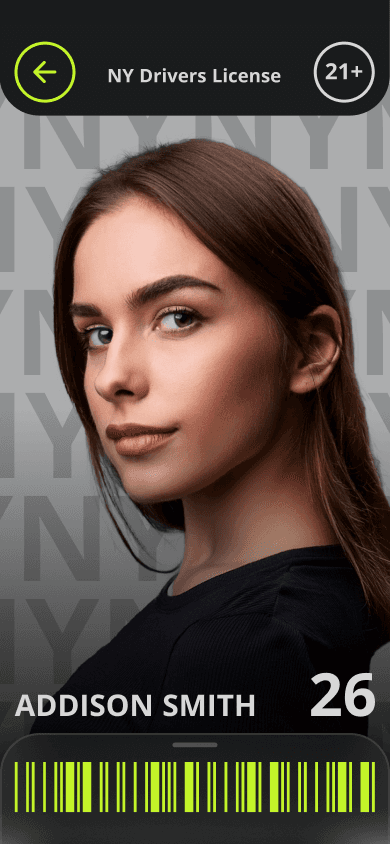
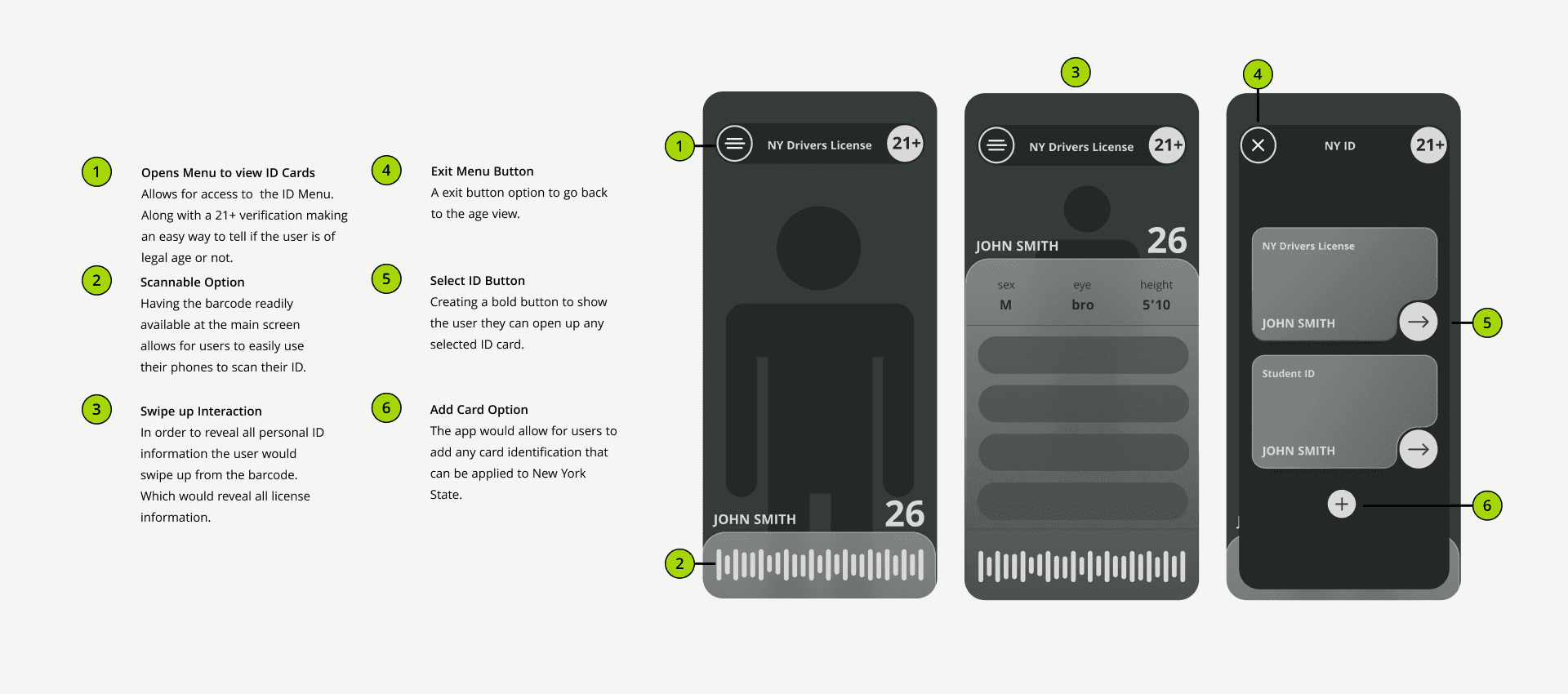
For this project, my approach focused on designing an interface that’s both secure and effortless to use in everyday situations. I aimed to create a system that prioritizes user privacy while offering quick access to essential features like age verification. Users can easily select and scan their ID using a barcode at the bottom of the screen without exposing unnecessary personal information. The result is a smooth, intuitive experience built for convenience and security.
Design Research

Competitive Analysis

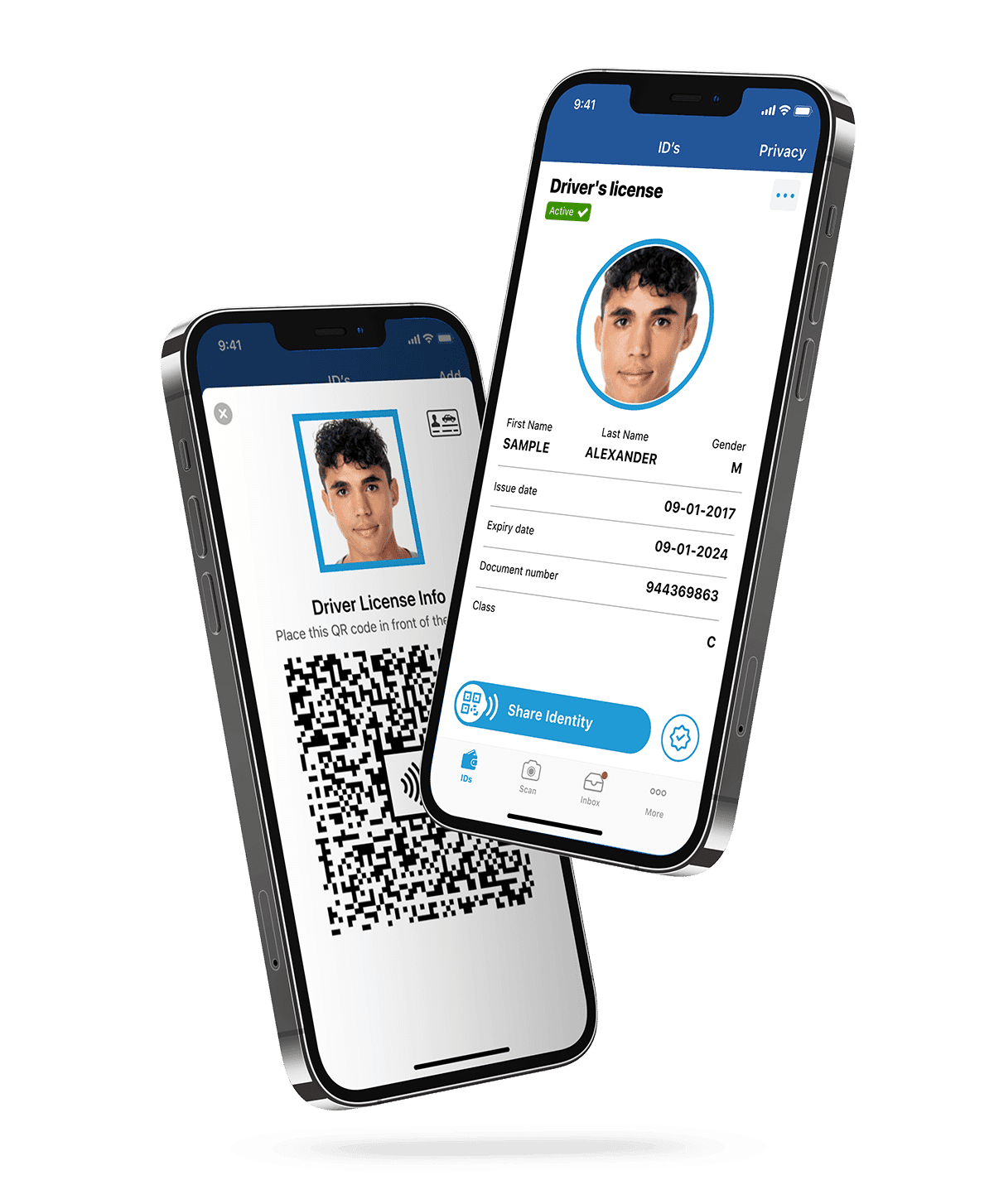
Many government-issued ID apps suffer from poor user experience due to their tendency to replicate physical ID designs rather than leveraging the flexibility of digital interfaces. This approach often leads to cluttered layouts, confusing navigation, and limited accessibility. By focusing too heavily on mirroring the physical format, these apps miss opportunities to create more intuitive, efficient, and user-friendly digital experiences.

Solving the Problem

I set out to improve the experience of digital ID apps by moving beyond the limitations of physical card design. By creating a more flexible layout, simplifying navigation, and prioritizing accessibility, I aimed to make the interface secure, intuitive, and easy to use in daily life.
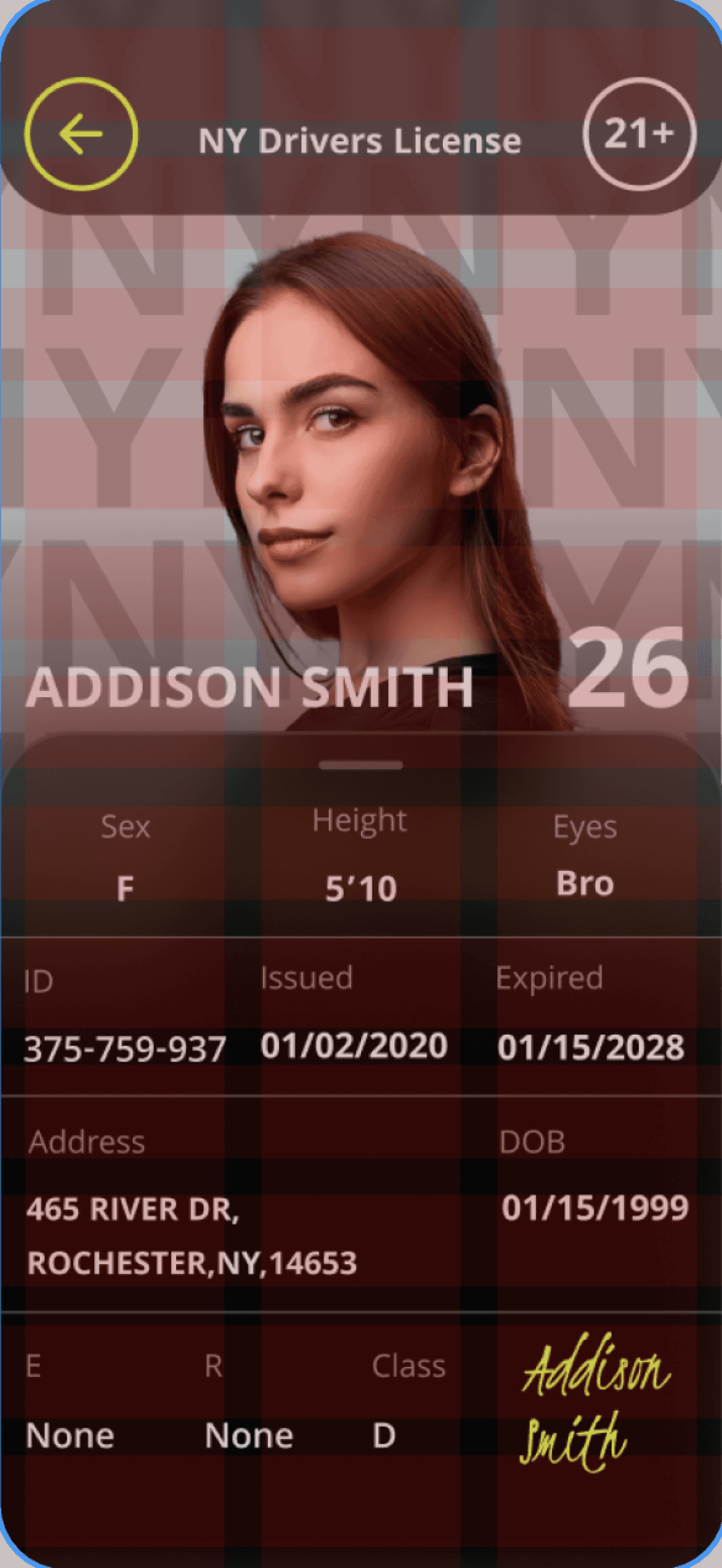
Sketches & Grid Layout

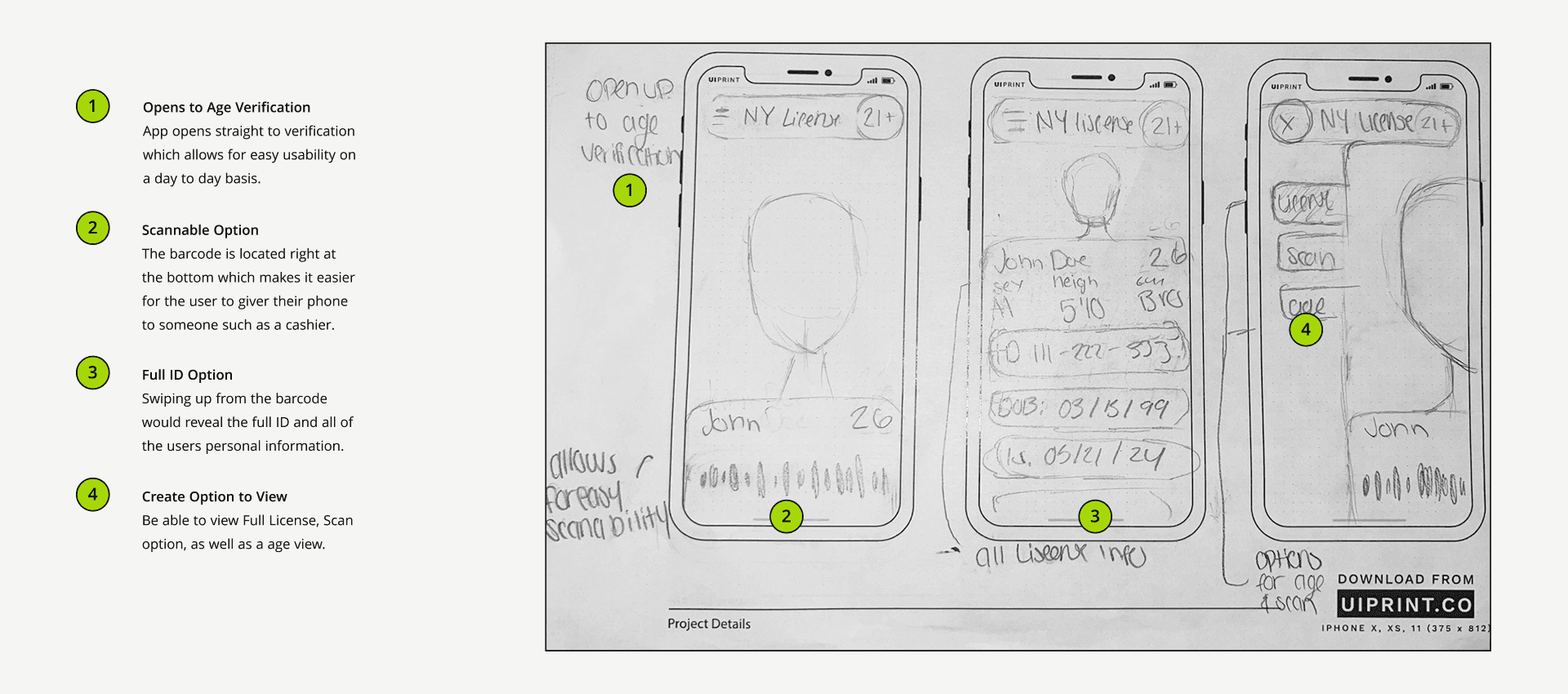
Sketches

Grid Layout

Margin

Gutter

Columns

Rows

15 pixels


20 pixels


3

3

Margin

Gutter

Rows

15 pixels


20 pixels


3

12

Columns

Inspiration & Wireframes

MoodBoards

Wireframes

Iterations

Visual Directions

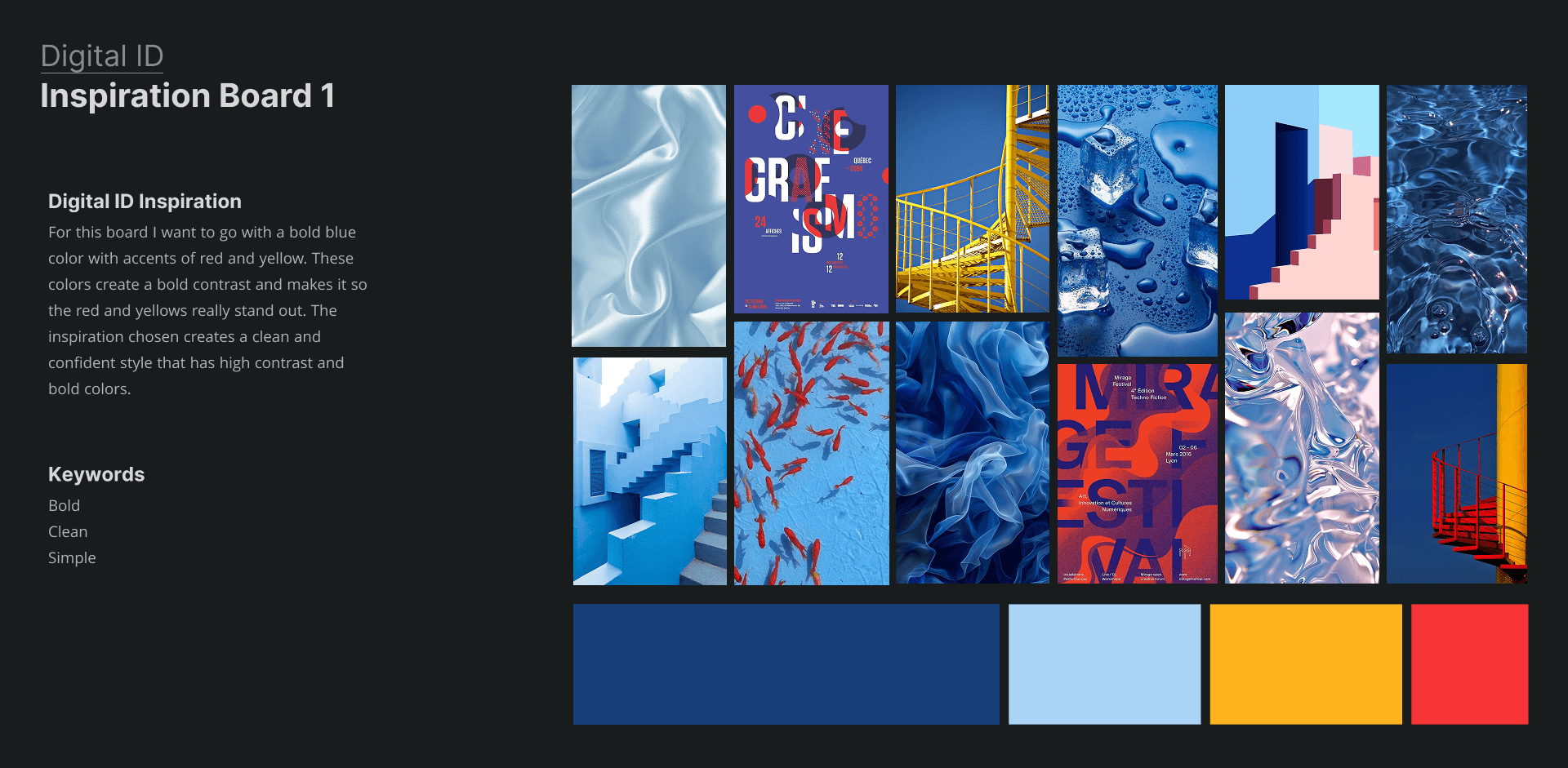
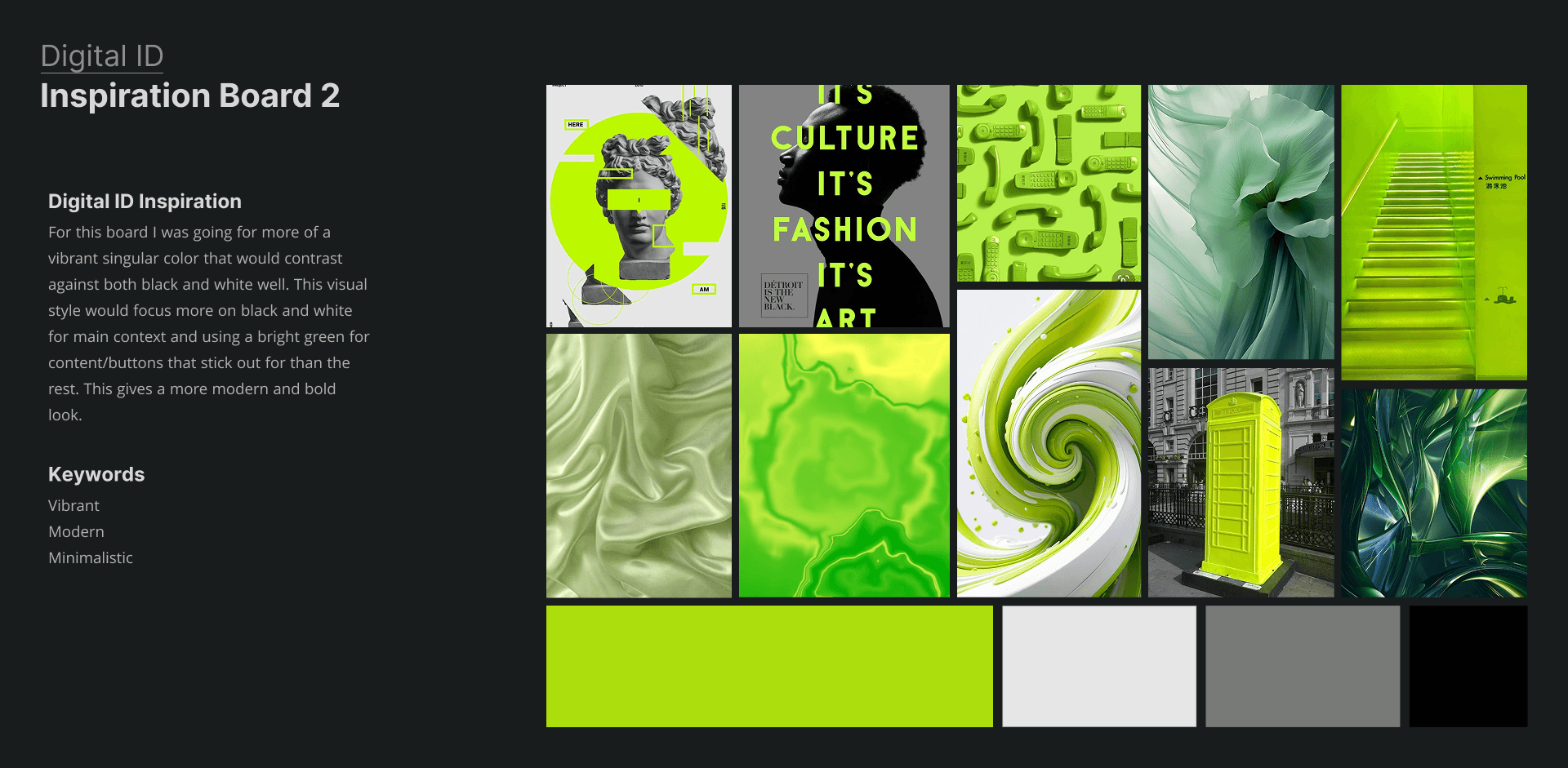
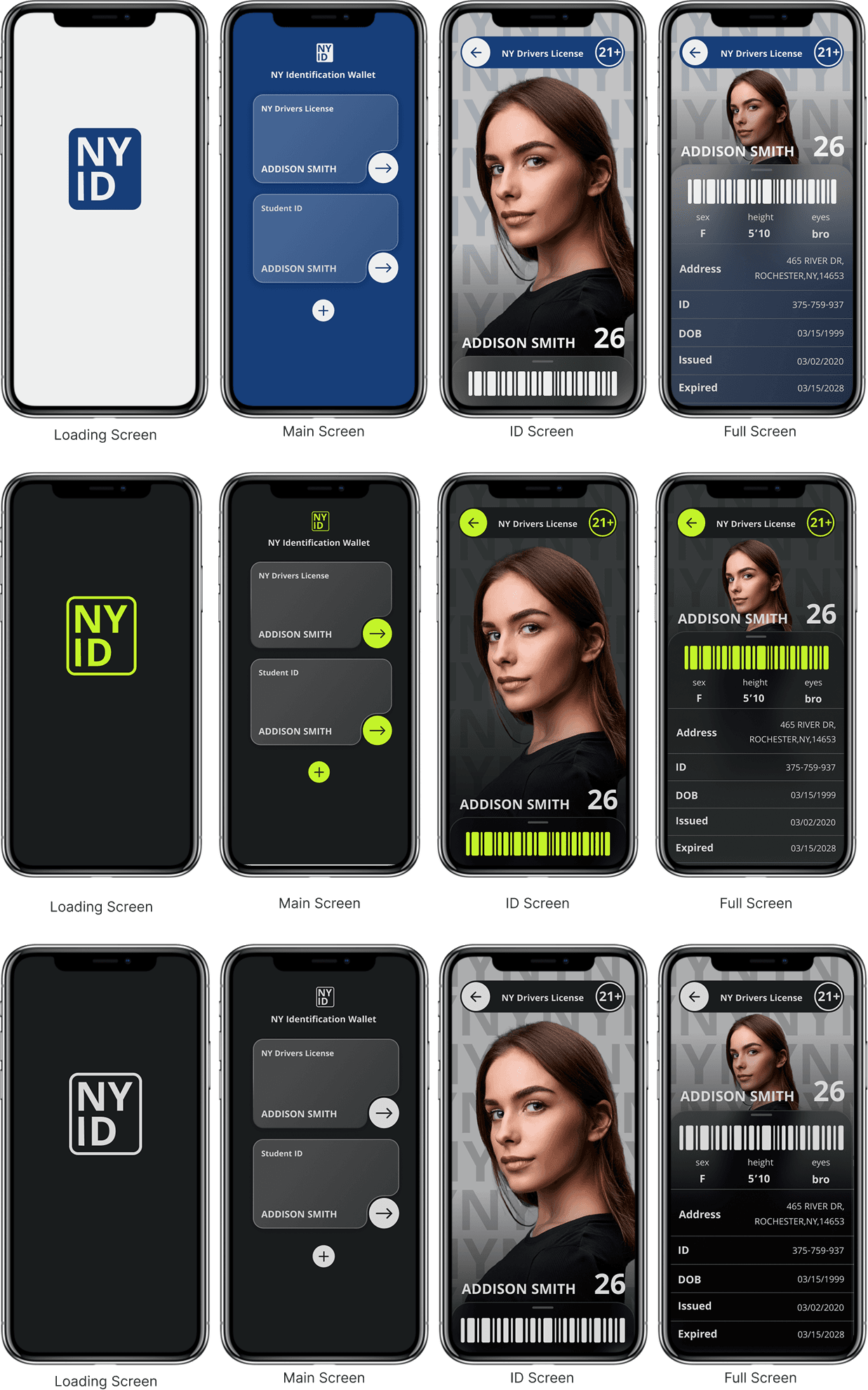
Using my mood boards as inspiration, I created three design iterations based on my envisioned style. One followed the blue and white palette from the first mood board, another used the green and black theme from the second, and the third combined elements of both ultimately leading to my final design solution.

Iterations

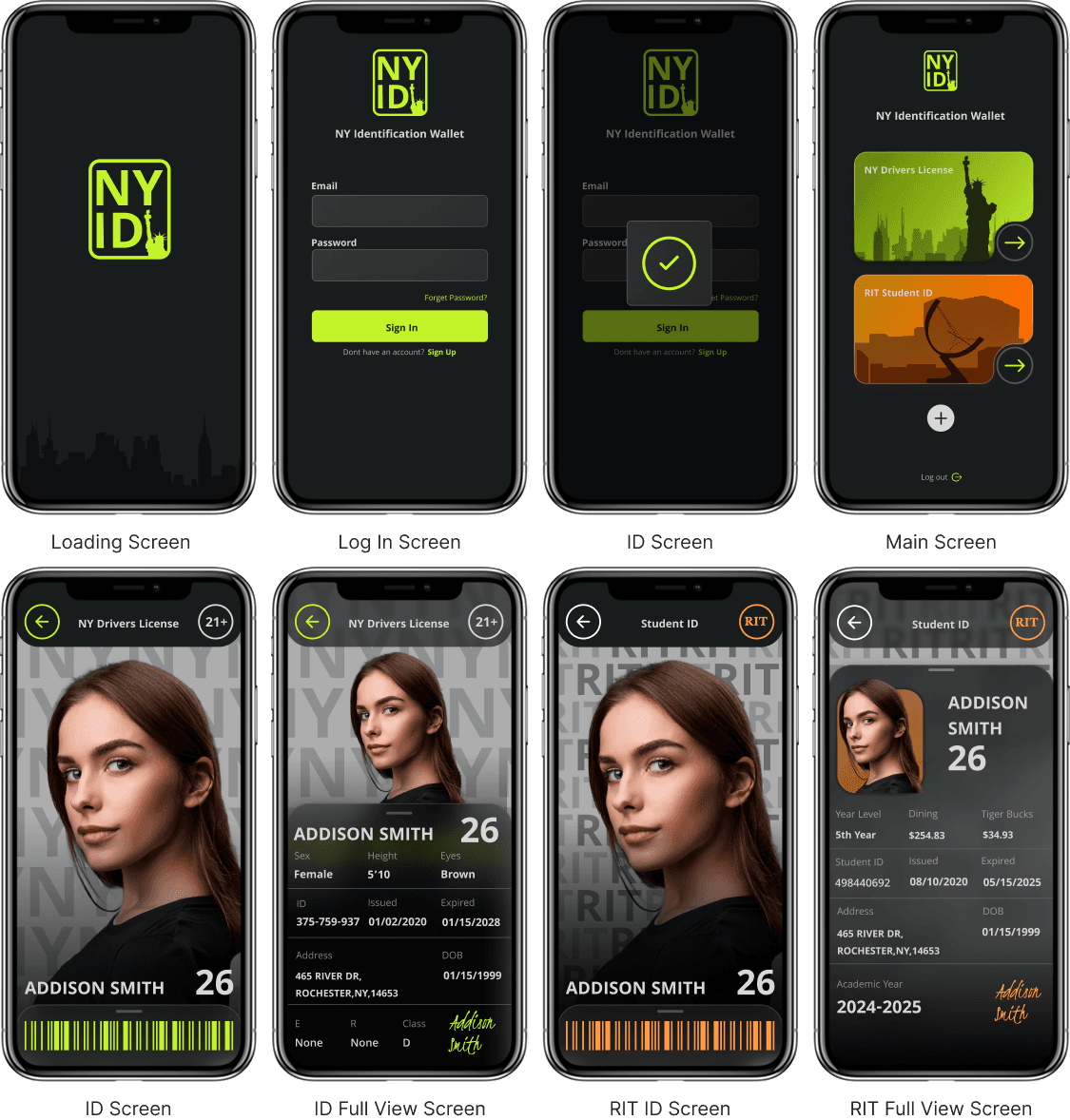
After making multiple versions and visual directions I narrowed down to one style. Going with the green and black version and incorporating elements of the other versions helped me make this version feel more appealing.

Final Screens

Final Design

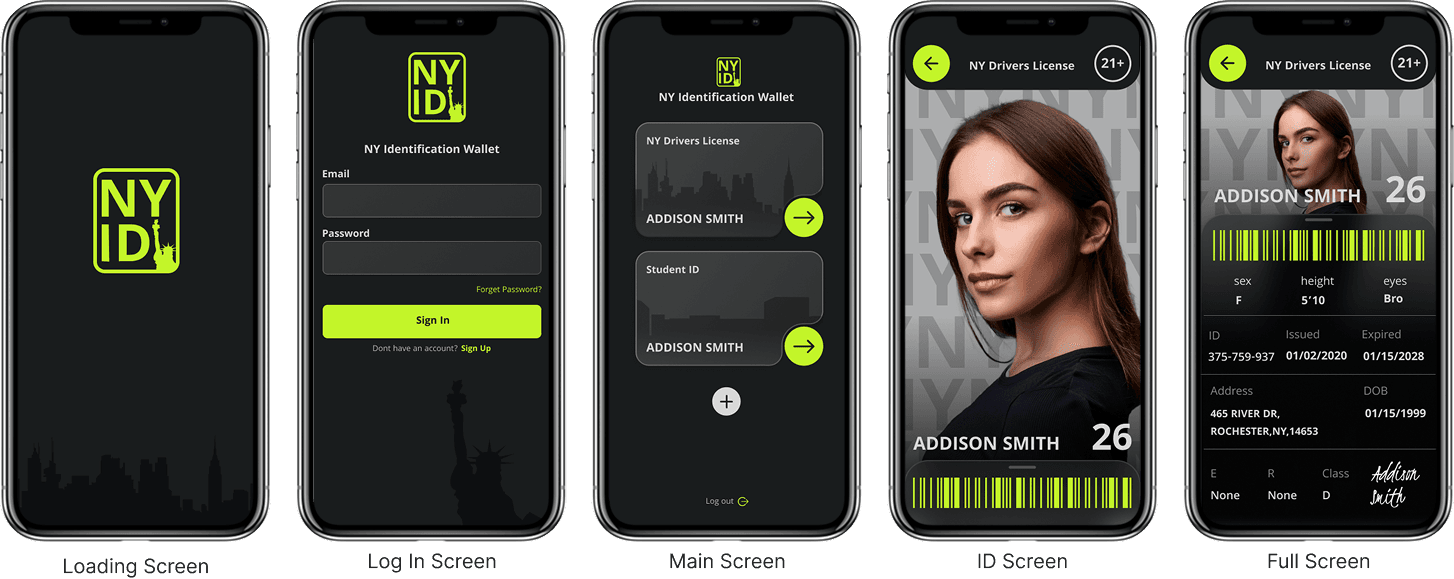
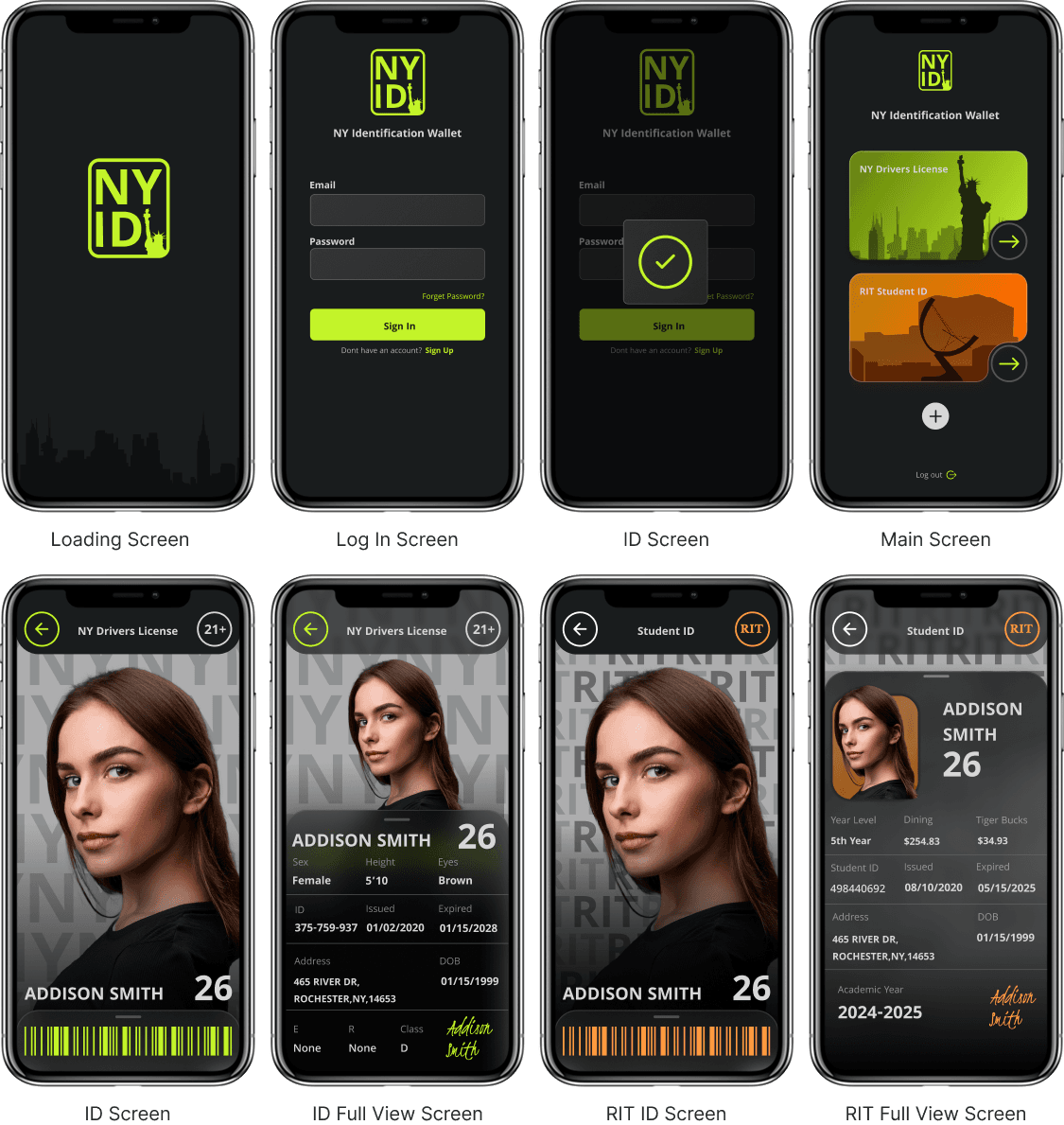
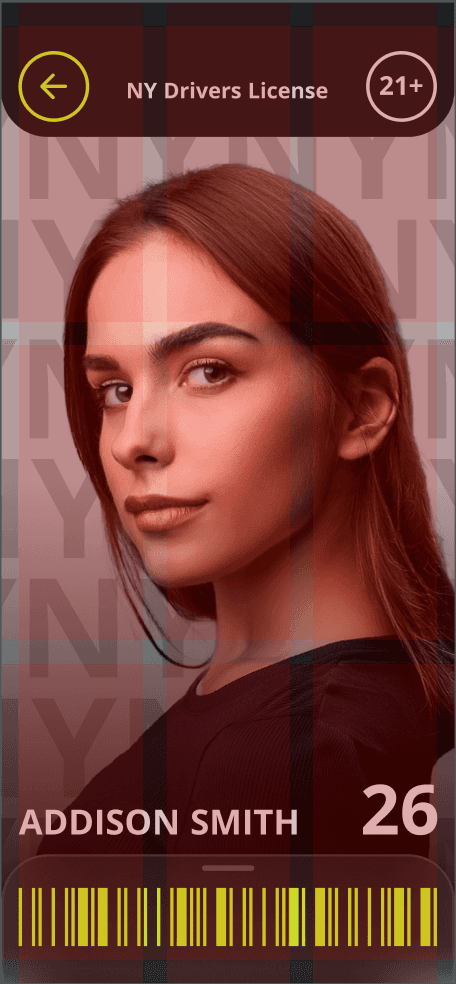
Looking back at my earlier iterations, the designs felt bland and lacked personality. I enhanced the cards with more color to create a dynamic and engaging background and redesigned the student ID section to differentiate it from the standard ID screen. Overall, these updates resulted in a set of screens that felt more vibrant, distinct, and visually balanced.

Competitive Analysis

Many government-issued ID apps suffer from poor user experience due to their tendency to replicate physical ID designs rather than leveraging the flexibility of digital interfaces. This approach often leads to cluttered layouts, confusing navigation, and limited accessibility. By focusing too heavily on mirroring the physical format, these apps miss opportunities to create more intuitive, efficient, and user-friendly digital experiences.

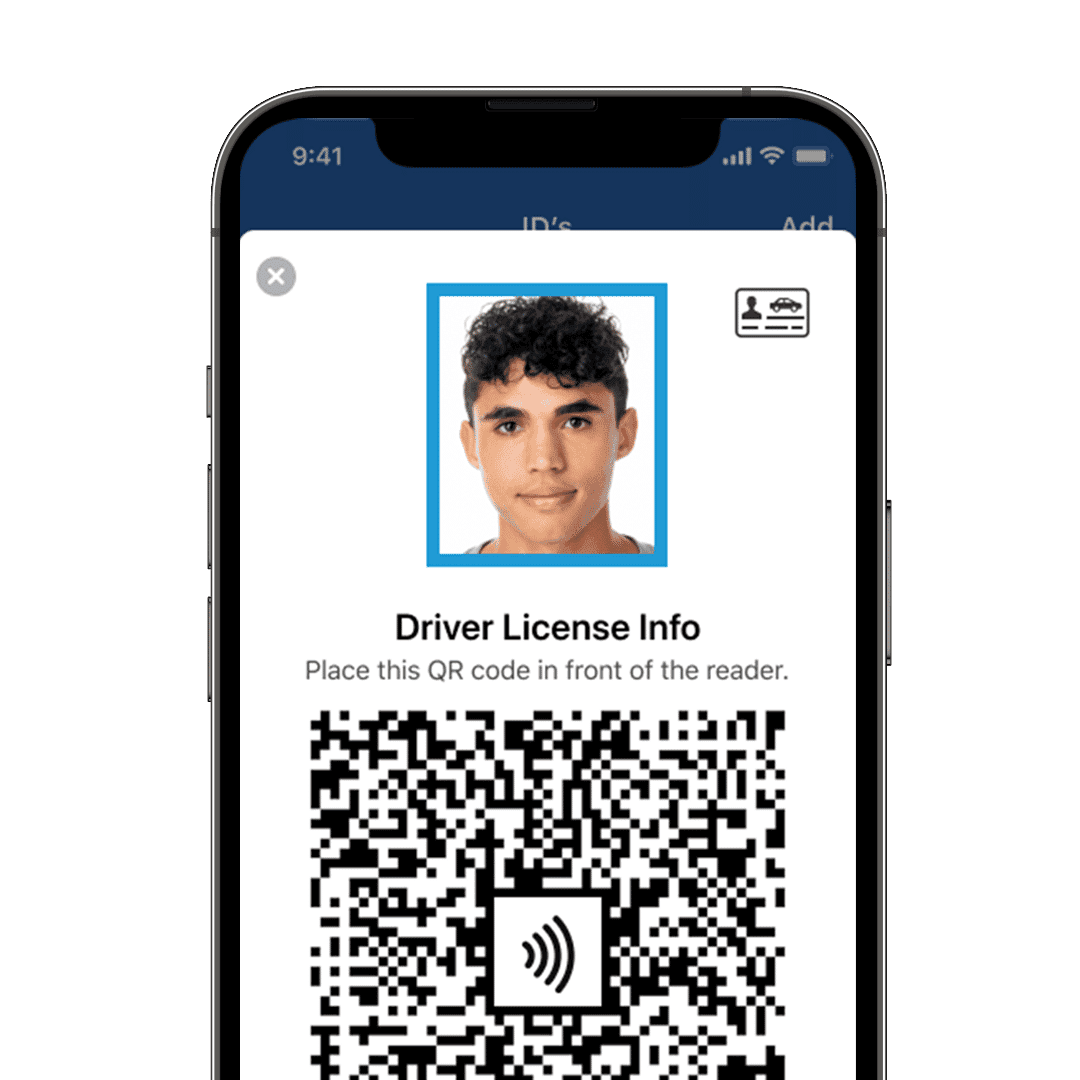
Many government ID apps, like the one shown, focus heavily on function but often overlook user experience. While the design is clean, it lacks hierarchy and clear interaction cues, making key information harder to access quickly. Improving visual flow, readability, and accessibility could make the experience more intuitive and user-friendly.

Design Research

Grid Layout

Margin

Gutter

Columns

Rows

15 pixels


20 pixels


3

3

Margin

Gutter

Rows

15 pixels


20 pixels


3

12

Columns

Sketches

Sketches & Grid Layout

Wireframes

MoodBoards

Inspiration & Wireframes

Design Research

Grid Layout

Margin

Gutter

Columns

Rows

15 pixels


20 pixels


3

3

Margin

Gutter

Rows

15 pixels


20 pixels


3

12

Columns

Margin

Gutter

Rows

15 pixels


20 pixels


3

12

Columns

Sketches & Grid Layout

Wireframes

MoodBoards

Inspiration & Wireframes

Competitive Analysis

Many government-issued ID apps suffer from poor user experience due to their tendency to replicate physical ID designs rather than leveraging the flexibility of digital interfaces. This approach often leads to cluttered layouts, confusing navigation, and limited accessibility. By focusing too heavily on mirroring the physical format, these apps miss opportunities to create more intuitive, efficient, and user-friendly digital experiences.

Visual Directions

Using my mood boards as inspiration, I created three design iterations based on my envisioned style. One followed the blue and white palette from the first mood board, another used the green and black theme from the second, and the third combined elements of both ultimately leading to my final design solution.

Iterations

After making multiple versions and visual directions I narrowed down to one style. Going with the green and black version and incorporating elements of the other versions helped me make this version feel more appealing.

Iterations

Visual Directions

Using my mood boards as inspiration, I created three design iterations based on my envisioned style. One followed the blue and white palette from the first mood board, another used the green and black theme from the second, and the third combined elements of both ultimately leading to my final design solution.

Iterations

After making multiple versions and visual directions I narrowed down to one style. Going with the green and black version and incorporating elements of the other versions helped me make this version feel more appealing.

Iterations

Visual Directions

Using my mood boards as inspiration, I created three design iterations based on my envisioned style. One followed the blue and white palette from the first mood board, another used the green and black theme from the second, and the third combined elements of both ultimately leading to my final design solution.

Final Screens

Visual Directions

Using my mood boards as inspiration, I created three design iterations based on my envisioned style. One followed the blue and white palette from the first mood board, another used the green and black theme from the second, and the third combined elements of both ultimately leading to my final design solution.

Final Screens

Project Reflection

Project Reflection

Overview

This project gave me a clear outlook on Figma and prototyping. Focusing on micro animations and how they help enhance the prototype even more.

The Process and Challenges

Iterations were a key part in finding the right style and layout of this concept. It helped me understand what elements worked in my design and what didn't.

What I Learned

I learned that both layout and animation play a crucial role in creating a refined experience. Incorporating subtle, seamless micro animations elevated my design, making it feel more dynamic, engaging, and professional.

Square

Project Reflection

Create a free website with Framer, the website builder loved by startups, designers and agencies.